 |
Issue:
I have multiple elo devices and some or all have different device software versions on Eloview Manager. How do I know which version each device should have?
Resolution:
We recommend updating to the latest version available for your elo device.
Eloview routinely releases software updates for their elo devices and lists the latest release notes here on their website.
To view the current elo software version loaded on your device:
1) Login to Eloview Manager
2) Find your device using its Name or Serial number in the search box
3) Click on your device's name to access device details, then click the tab labeled "Software"
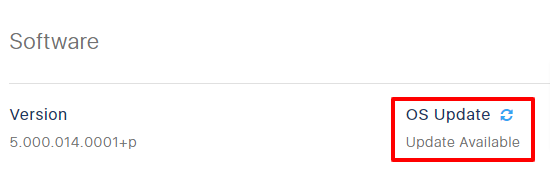
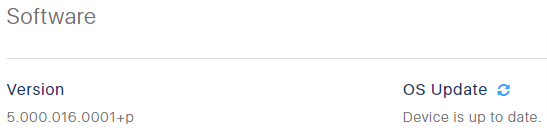
4) The software version currently loaded on your device is listed on this tab
To update your device to the latest elo software version:
1) Login to Eloview Manager
2) Find your device using its Name or Serial number in the search box
3) Click on your device's name to access device details, then click the tab labeled "Software"
4) If an update is available for your device, you will see "Update Available" listed under "OS Update"
5) Click on the gear icon to open the Software Update window
6) Choose the latest version available, then click Confirm.
7) Click Yes to apply the Update. Your device will download and install the update and will reboot when finished. Please note that this process can take up to 15 minutes depending on network bandwidth